


Add Hyperoptic Total Wi-Fi® to your plan
New to Hyperoptic? Add Total Wi-Fi when you choose your broadband package. Already with us? Head to My Plan in My Account to add Total Wi-Fi to your current service.

Our mesh Wi-Fi service helps extend your Hyperoptic connection into more areas of your home. Hyperoptic Total Wi-Fi® includes our powerful Wi-Fi extender, the Minihub. It works with your Hyperhub to extend the reach of your Wi-Fi throughout your property. Add Total Wi-Fi when you order Hyperoptic broadband or add it to your existing service later. Then work, play, stream or chat wirelessly from more places around your home.
Why choose Hyperoptic Total Wi-Fi®?
Designed for larger properties, busy households and anyone who needs their Wi-Fi to reach further.

Perfect for larger properties, heavy Wi-Fi users or busy households.

Extend the reach of your Hyperoptic Wi-Fi from basement to bedroom.

Our powerful Minihub works with your Hyperhub to extend your Wi-Fi throughout your home.
Hyperoptic Total Wi-Fi® is ideal for larger properties, heavy Wi-Fi users and households with several people and devices online. It helps extend your Hyperoptic Wi-Fi into more areas of your home, making it easier to work, play, stream or chat wherever you need to.

The Minihub works with your compatible Hyperhub as part of a mesh Wi-Fi network. Once connected, your devices can use the same Wi-Fi network name and password as you move around your home.

One Minihub should be suitable for many homes. If it is not enough to improve the Wi-Fi signal in your property, we can look at other ways to help and may provide an additional Minihub.

Hyperoptic Total Wi-Fi® is our mesh service, which extends the power of your Hyperoptic broadband service throughout your property, giving you the ultimate Wi-Fi speed, reliability and coverage – in every room.
You can add Total Wi-Fi to your Hyperoptic service at any time* (including when you place your order).
Total Wi-Fi includes a Minihub, which is our powerful Wi-Fi extender and can be easily set up using the instructions provided in the box.
Alternatively, for more information visit how to set up your Minihub.
Read our guide on what is mesh Wi-Fi.
If you have any questions, simply log into My Account and start a Live Chat with us.
*Please note, if you’re already on a 12 or 24-month package, you may need to move to a new package, agreeing to a new monthly package charge, and restarting the minimum commitment period.
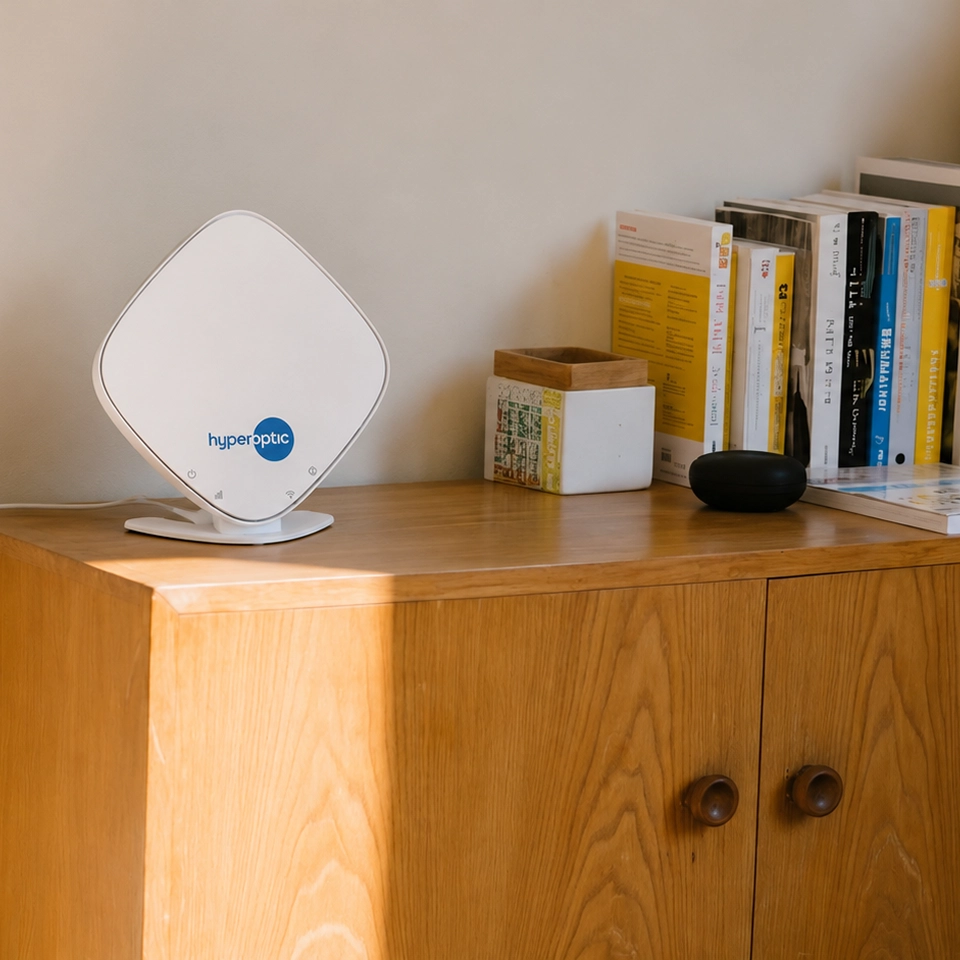
The Minihub is our powerful Wi-Fi extender and is included with our Total Wi-Fi service.
With a beautifully sleek design, intended to subtly blend in, the Minihub will synch with your Hyperhub router and is super easy to set up using the instructions provided in the box. Once set up, it will extend the reach of your Hyperotic Wi-Fi throughout your property.
While one Minihub should be more than up to the job (they’re small but mighty!), if you live in a larger property or need your Wi-Fi to reach even further, simply let us know and we can provide you with an additional one.
If you have any questions, simply log into My Account.
If you’re already a Hyperoptic customer, you can add Total Wi-Fi at any time through My Account for just £7 a month (unless you’re on a special offer).
Alternatively, you can get in touch with us and we’ll be happy to add it to your service. We’ll then get your Minihub posted to you (as well as a new Hyperhub router, if needed), which you can set up using the instructions provided in the box (or, for more information on how to set up your Minihub visit Set up your Mini Hub). If you need a new Hyperhub, we’ll simply ask you to send the old one back to us.
Please note, if you’re already on a 12 or 24-month package, you may need to move to a new package, agreeing to a new monthly package charge, and restarting the minimum commitment period.
If you haven’t got Hyperoptic broadband yet, you can simply add Total Wi-Fi to your order before you check out, for just £7 extra a month (unless you’re on a special offer). We’ll then either set it up for you at the same time as your service install or you can set it up yourself using the instructions provided in the Minihub box.
If you have any questions, simply log into My Account and start a Live Chat with us.
Currently, Total Wi-Fi only works with Hyperoptic broadband and cannot be used with other mesh devices or systems. Our Minihubs are designed to work alongside your Hyperhub router to give you the best possible Wi-Fi service.
Mesh technology is evolving every day, so it may be the case that Total Wi-Fi works with other mesh services in the future. Watch this space!
For the best possible service, you should pick a central location for your Minihub, in a spot where you need your Wi-Fi to reach, no more than two rooms or one floor away from your Hyperhub router.
Choose an open spot in the room (I.e. not hidden away in a cupboard or stuck in the corner) and avoid putting it on the floor.
It’s also best to avoid the kitchen and any high-powered electrical devices (e.g. microwaves, fridges, bluetooth speakers etc.), as well as metal structures or mirrors.